Photo Location Privacy Protection Guide
In an age where digital privacy concerns are paramount, uploading your personal photos to online services can feel risky. Every time you share a picture online, you might be sharing more than just a visual memory. Many users worry: "Where will my photos go? How are they being used? Is my location data safe?" These are valid questions that every internet user should ask before using a digital service.
At Photo Location Finder, we understand these concerns deeply. We believe that technology should empower users, not exploit them. That is why we have built a comprehensive privacy framework to protect your data while delivering accurate location results. Whether you are a journalist verifying a source or a traveler curious about an old photo, you deserve to know that your data is handled with care.
This guide explains exactly how we safeguard your privacy, what happens to your photos after upload, and the security measures in place to ensure your peace of mind. By the end of this article, you will understand why our photo location finder is the most trusted tool for identifying geographical data securely.
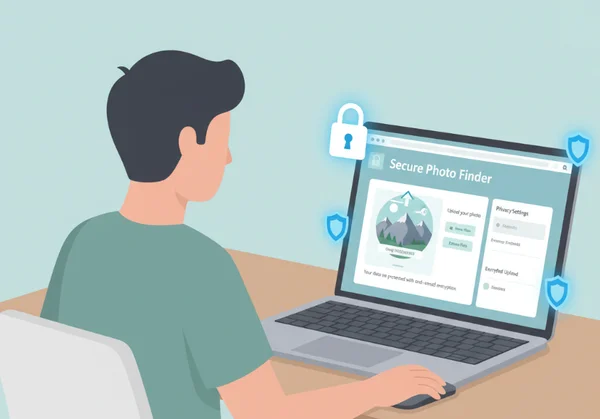
Our Photo Location Privacy Policy Explained
A privacy policy should be more than just a long document filled with legal jargon. It should be a clear promise to the user. Our photo location privacy policy is built on the principles of transparency and data minimization. This means we only collect what is strictly necessary to provide our service and nothing more.
We realize that photos are deeply personal. They contain faces, homes, and private moments. Our policy ensures that our AI analysis focuses solely on geographical markers—like landmarks, vegetation, and architecture—rather than the personal subjects within the frame. We are here to find locations, not to track individuals.
What Happens to Your Photos After Upload?
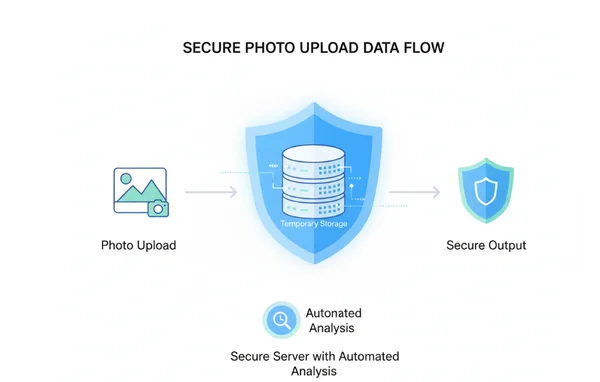
When you upload your images to our platform, a very specific and automated process begins. First, the image is sent to our secure server environment built on the Next.js 15 framework. This modern architecture allows for "serverless" processing in many cases, which means the data exists only for the duration of the analysis.
Our AI engine immediately begins its two-step analysis. First, it scans for EXIF metadata. If that is missing, it moves to visual recognition. During this time, the image is held in a temporary, encrypted buffer. When the "AI Reasoning Process" completes and your results appear on the interactive map, the temporary file is marked for removal. We do not use your photos to train our AI models without your explicit consent, ensuring your unique content remains yours alone.
Data Retention and Deletion Policies
One of the most common fears regarding online tools is the idea of a "permanent record." You might wonder if your photo stays on a server forever. Our answer is a firm no. We have strict data retention and deletion policies designed to protect the user.
Once your session is closed or a specific period of inactivity passes, the uploaded files are automatically purged from our temporary storage. We do not maintain a permanent gallery of user-uploaded content. We offer a "History" feature to track recent searches during a single session. This data is stored locally in your browser's cache or tied to a temporary session ID that you can clear anytime. We believe you should have total control over your digital footprint.
How to Protect Your Photo Metadata with Our Secure System
Metadata is the hidden story behind every digital file. For a photo, this is called EXIF data. While this data is incredibly useful for finding locations, it can also be a privacy risk if it falls into the wrong hands. Our goal is to provide a secure image location finder that helps you access this data when you need it, without exposing you to external threats.
By using our secure system, you are choosing a path that prioritizes encryption and local processing. We provide the tools to see what is hidden in your photos, giving you the knowledge needed to decide what to share on social media.
EXIF Data Privacy: What We See and What We Don't
The term "EXIF" stands for Exchangeable Image File Format. It can include your camera model, the time the photo was taken, and exact GPS coordinates. When you use our secure photo analysis, our system reads this data to give you an instant location.
However, we maintain strict EXIF data privacy standards. Our tool is designed to extract only the geographical and technical information required for location mapping. We do not scrape or store personal identity markers that might be buried in the metadata. We provide a transparent breakdown of what the AI found, so you are always in the loop. If your photo has no GPS data, our AI uses visual cues instead, which is a much safer way to geolocate images without relying on sensitive embedded files.
Secure Image Processing: No Storage, No Sharing
"No storage, no sharing" is the backbone of our technical philosophy. Many free tools on the internet make money by selling user data or using images for third-party advertising. Photo Location Finder does not engage in these practices. We are a utility-first platform.
Our secure image processing ensures that your photo is never shared with third-party marketing firms. The analysis happens within our isolated environment. When our AI identifies a landmark—such as the Eiffel Tower or a specific mountain range—it matches that visual pattern against a global database of geographical features. This matching process does not require saving your image to a public database. Your photos remain private, and your location results are for your eyes only.
Photo Data Security Best Practices at Photo Location Finder
Security is a moving target. As hackers and data miners become more advanced, our security measures must evolve even faster. We follow photo data security best practices to ensure that our platform remains a safe haven for all users, from casual hobbyists to professional investigators.
We use a multi-layered defense strategy. Our strategy includes secure connections between your computer and our servers. It also covers protection for our AI models' internal logic. Every step is designed to prevent unauthorized access.
Encryption and Data Protection Measures
From the moment you click "Find Location," your data is protected by industry-standard encryption. We use HTTPS (SSL/TLS) for all communications. This means that even if someone were to intercept the data while it travels across the internet, they would see nothing but scrambled code.
Our privacy-focused tool also utilizes internal encryption for data at rest. Even during the few seconds that a photo is being analyzed by our AI, it is stored in an encrypted format. We use the latest security protocols provided by the Next.js and Tailwind CSS ecosystems to ensure that there are no "backdoors" or vulnerabilities in our user interface. Your trust is our most valuable asset, and encryption is how we earn it.
Regular Security Audits and Compliance
We don't just claim to be secure; we prove it through constant vigilance. Our team performs regular security audits to identify and patch potential weaknesses. By staying compliant with modern web standards and data protection regulations (such as GDPR principles), we ensure a high level of authoritativeness and trustworthiness.
Our AI models are also audited to ensure they are performing accurately and ethically. We provide an "AI Reasoning Process" module on our site so you can see the logic used to find a location. This transparency is a key part of our security culture. It allows users to verify that the tool is working as intended and not performing hidden tasks in the background.

Your Privacy is Our Priority
In today's digital landscape, knowledge is key. Understanding where a photo was taken can help uncover stories, confirm facts, and bring back cherished moments. Yet, this valuable insight should never compromise your personal privacy. At Photo Location Finder, we have proven that it is possible to provide world-class AI analysis while maintaining strict data security.
We have discussed how our policy protects you, the way we handle EXIF data with care, and the high-level encryption we use to keep your images safe. Our commitment to "No Storage, No Sharing" ensures that you remain the owner of your digital life.
If you are ready to discover the secrets hidden in your photos without compromising your safety, we invite you to get started today. Experience the perfect balance of advanced AI technology and ironclad privacy protection.
Frequently Asked Questions About Photo Location Privacy
How does Photo Location Finder ensure my photo privacy?
We ensure privacy by using a "process-and-delete" workflow. Your photos are analyzed in a secure, encrypted environment and are not permanently stored on our servers. We also provide a transparent AI reasoning module so you can see exactly what the tool is doing.
Is my EXIF data protected when I upload photos?
Yes. Our system reads EXIF data only to provide you with location results. We do not share this metadata with third parties, and it is removed from our temporary cache once your session ends. You can safely try the tool to see your photo's hidden details.
What security measures protect my image location data?
We use SSL/TLS encryption for all data transfers, ensuring that your photos and results are protected from interception. Additionally, our platform is built on the secure Next.js 15 framework, which features the latest web security patches.
How long does Photo Location Finder keep my uploaded photos?
Photos are only kept for the duration of the analysis and the active user session. We do not maintain long-term storage of your images. Once you finish your analysis and close your browser session, your files are cleared from our temporary buffer.
Can I request the deletion of my photo data?
Since we do not store photos permanently, there is usually no data to delete after your session ends. However, if you have any concerns about your session history, you can clear your browser cache or contact our support team for assistance with any data-related queries.